
Flight and environment
The aircraft type, departure and destination airports, route and weather set the context. The simulator provides the corresponding environment.
Flight simulation brings aviation to life on your computer – from flight physics and aircraft systems to navigation. Discover how simulators work and how add-ons, software, and online networks enhance the experience.
Flight simulation uses computers to reproduce aspects of flight operations –
from an aircraft's flying characteristics to its onboard systems
and operating environment.
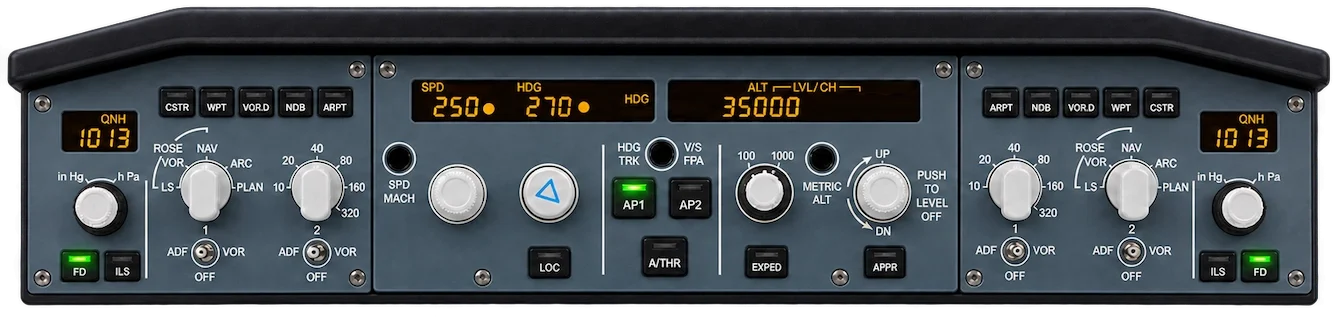
A flight simulator models key physical and technical processes digitally. It continuously calculates how an aircraft responds to control inputs, engine power, wind and other influences. At the same time, it depicts the cockpit and its instruments, weather, airports and landscapes within a virtual environment.
How realistic a flight simulation is becomes particularly apparent in the level of detail of its aircraft systems. High-quality aircraft add-ons can simulate electrical power, hydraulics, fuel systems, flight controls and avionics, including the dependencies between them, closely reflecting their real-world counterparts. Changes in one system can affect other areas of the aircraft. Depending on the aircraft model, technical malfunctions and their consequences can also be simulated realistically.
The extent to which these interactions are reproduced depends on the simulator software and the individual aircraft add-on. Much of the appeal lies in just how realistic modern flight simulation can be. Real-world pilots also use home simulators to practise procedures, routines and cockpit workflows, or to maintain familiarity with an aircraft type and its systems. Such setups complement, but do not replace, certified training devices.
Suitable hardware has also become considerably more accessible. From a joystick, throttle and rudder pedals to dedicated panels and entire cockpit replicas, the possibilities range from a simple desk setup to fully equipped home cockpits.
Example: a virtual airline flight departing Hamburg.
The aircraft type, departure and destination airports, route and weather set the context. The simulator provides the corresponding environment.
Flight attitude and engine power are managed through the controls and cockpit instruments. Depending on the aircraft, flight management, navigation and other systems can also be operated.
The flight model processes these inputs alongside environmental conditions. Changes are reflected immediately in aircraft behaviour, instrument indications and the outside view.
Click through the seven building blocks: from the flight simulator as the foundation to the virtual airline.

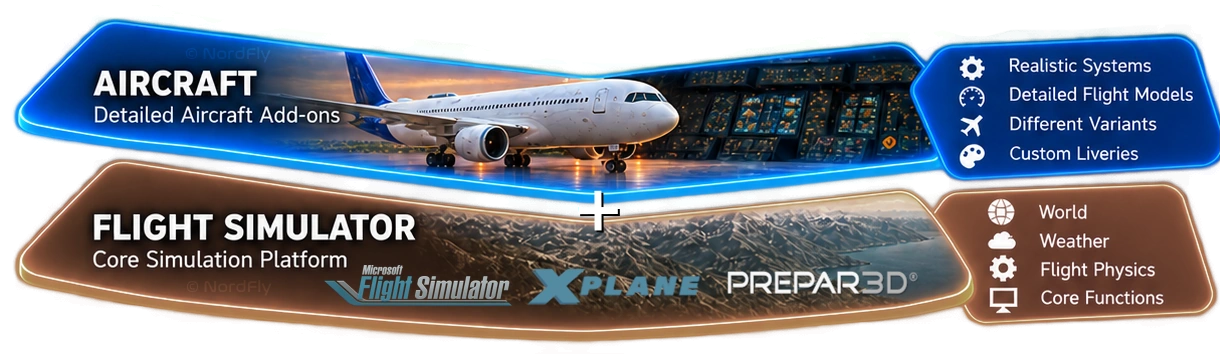
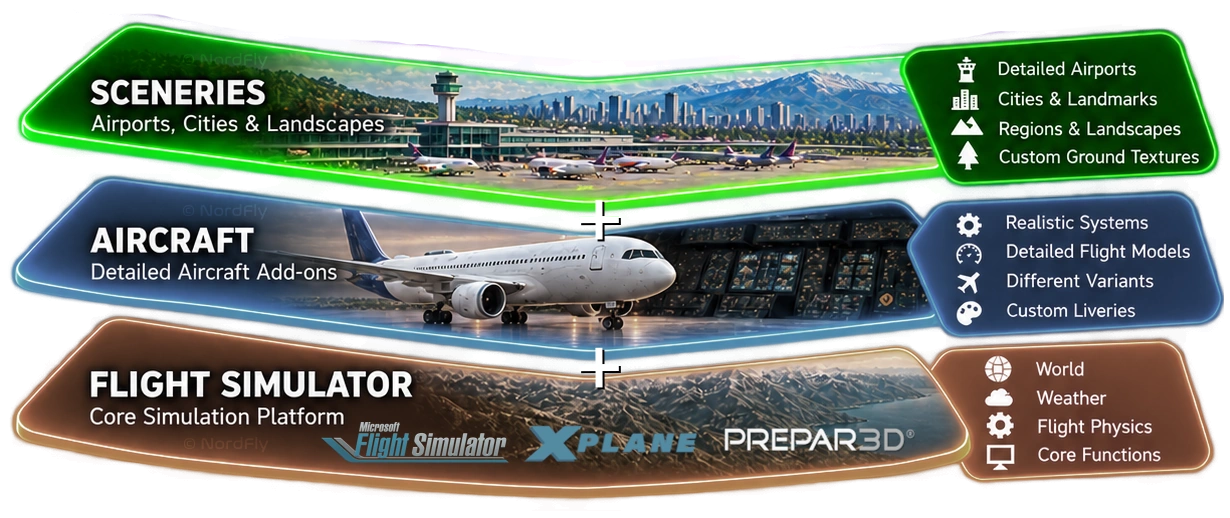
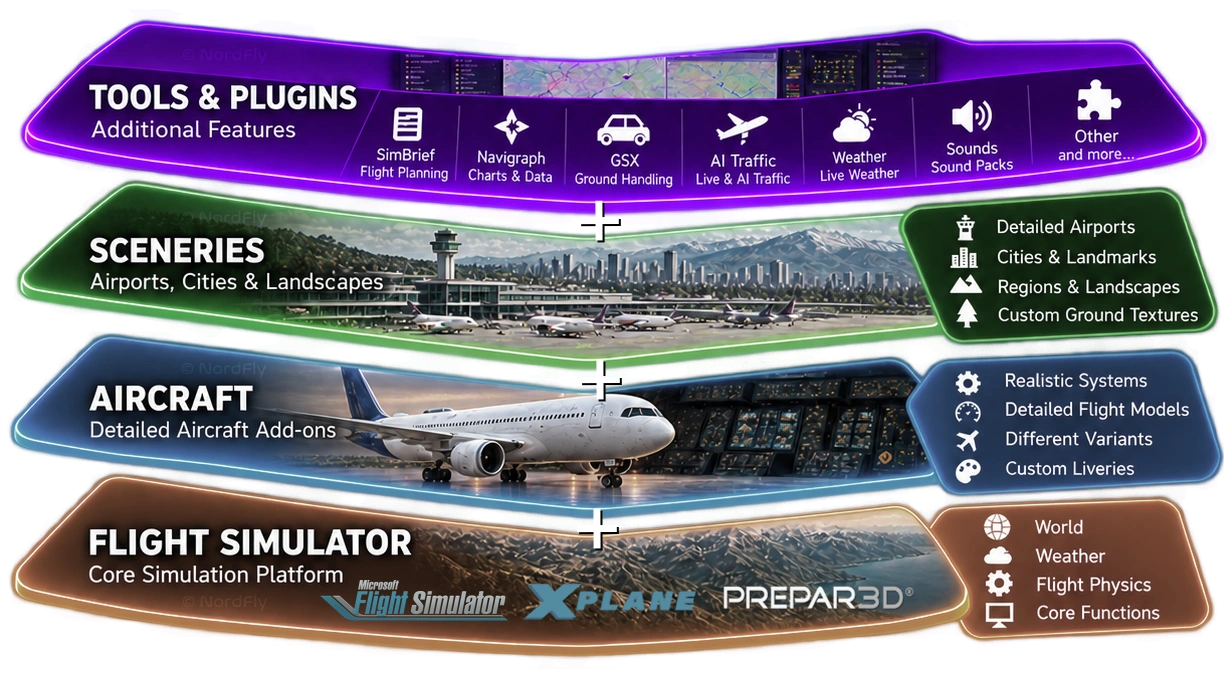
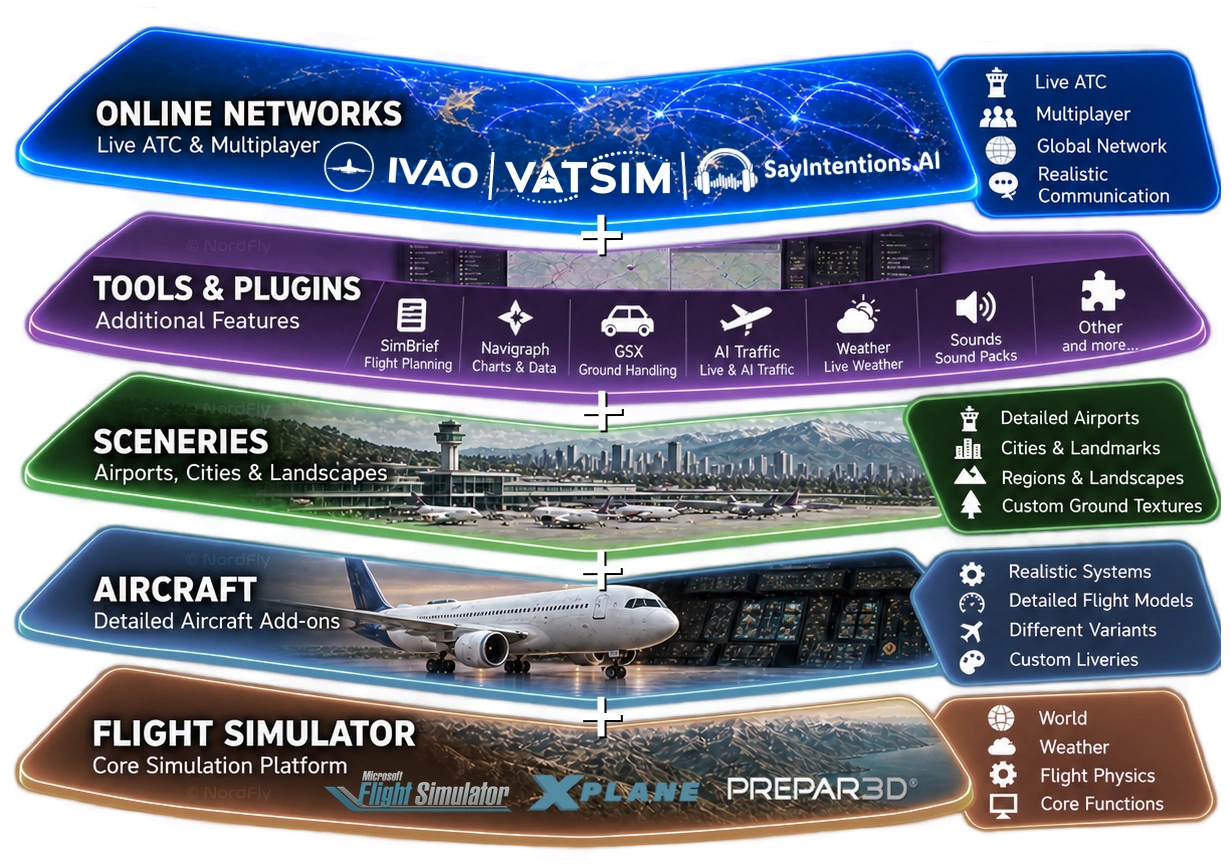
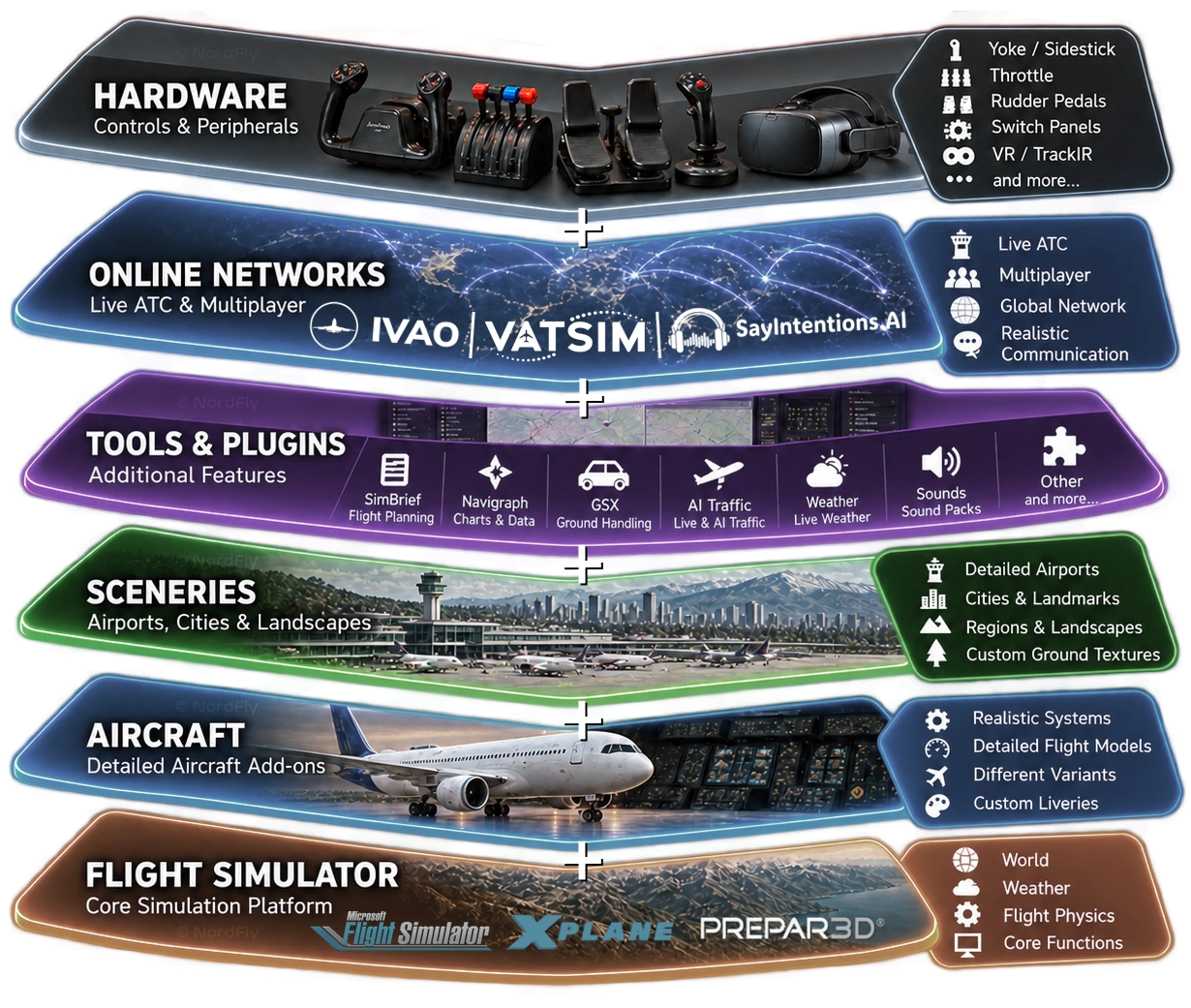
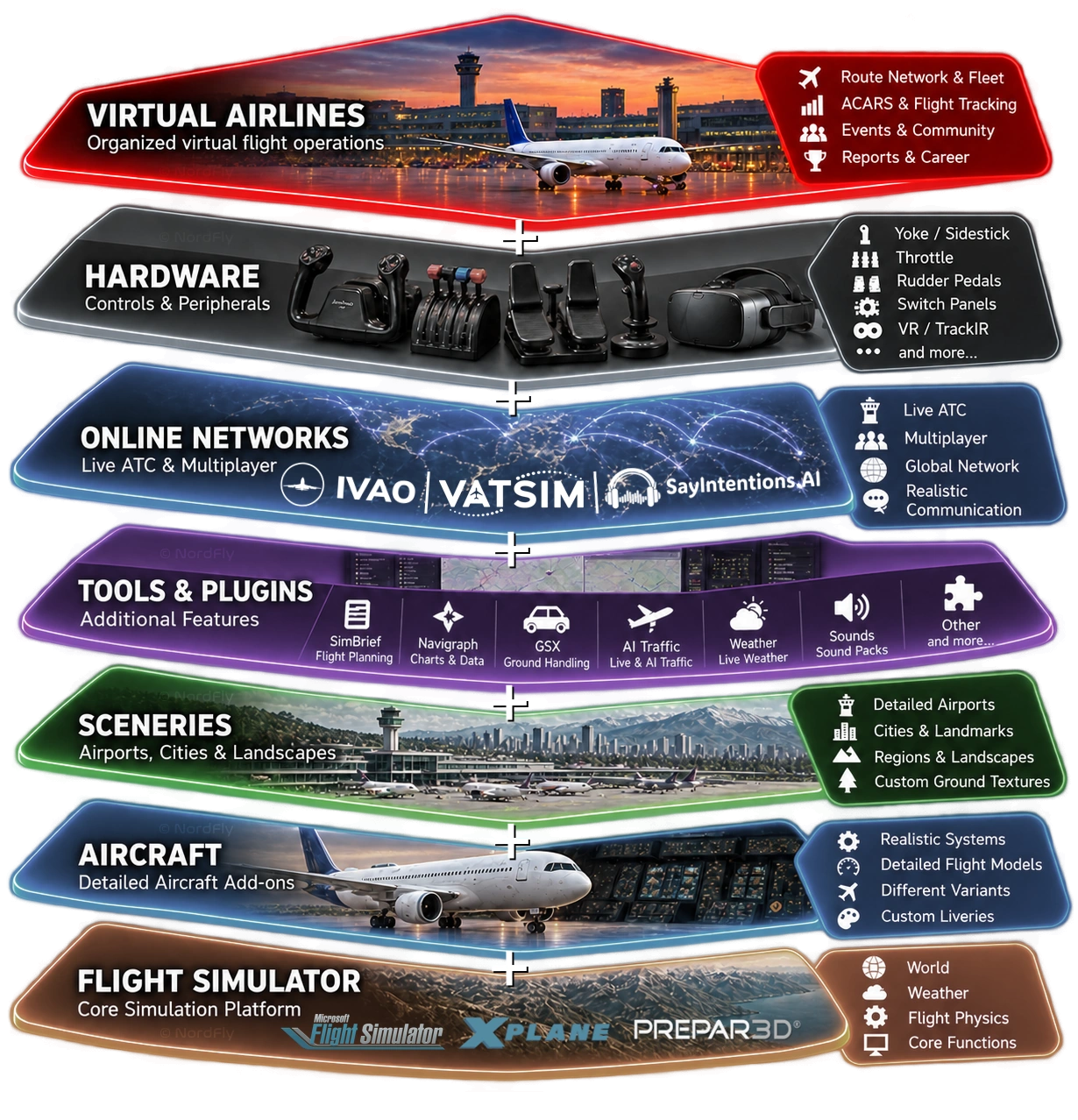
Modern flight simulation is built on a modular building-block principle. The simulator itself forms the technical foundation and provides the virtual world, basic aircraft, weather conditions and the calculation of flight physics.
The different simulation platforms follow different development philosophies. While Microsoft Flight Simulator 2020 and 2024 stand out especially for their impressive visual representation of the world, X-Plane places particular emphasis on detailed aerodynamic calculation of flight behaviour. Prepar3D by Lockheed Martin, on the other hand, is aimed primarily at professional applications as well as training and research.
All platforms can be customised to personal preferences and requirements through additional extensions, so-called add-ons.
The aircraft included with a simulator often reproduce only part of the complex systems found in their real-world counterparts. Pilots looking for a more demanding experience therefore turn to specially developed aircraft add-ons.
Over the past decades, numerous renowned development studios have specialised in recreating real aircraft types as faithfully as possible. They not only model the exterior appearance and cockpits in detail, but also simulate the flight characteristics and complex technical systems.
From electrical systems, hydraulics and fuel supply to flight management computers, high-quality add-ons can achieve a remarkable level of detail. This makes it possible to understand and carry out many real aircraft procedures in a realistic way.
Although modern flight simulators already offer an extensive representation of our planet, airports, cities and landscapes do not always match their real-world counterparts down to the smallest detail.
This is exactly where specialised scenery developers come in. Using photographs, satellite imagery, geographic data and in some cases even on-site surveys, they reconstruct airports, buildings, cities and entire landscape regions with impressive accuracy.
From true-to-life terminals and taxiways to realistic airport lighting and famous landmarks, these add-ons create virtual environments that come astonishingly close to reality. They significantly increase immersion and make flight simulation feel even more authentic.
The variety of additional tools and plugins is now almost impossible to overlook. They expand the simulator with numerous functions and enable an even broader and more realistic flying experience.
Among the best-known applications are SimBrief for flight planning and Navigraph for aeronautical charts and navigation data. With GSX (Ground Services), for example, ground handling, pushback, passenger boarding and loading can be simulated in a realistic manner.
In addition, there are extensions for realistic air traffic, enhanced weather, high-quality sound packs and countless other functions. Even virtual copilots that react to spoken instructions using speech recognition and artificial intelligence and take over cockpit tasks are now part of the ecosystem.
Many of these applications access simulator data through dedicated interfaces and can be combined with one another where compatibility allows.
To make virtual aviation even more realistic and social, two major international networks have become established over the past decades: IVAO and VATSIM.
Through dedicated connection clients, pilots from all over the world can link their simulators with one another. Other participants then become visible as aircraft in a shared virtual airspace.
What makes this especially compelling is the realistic air traffic control: real people take on the role of air traffic controllers, coordinate virtual traffic and communicate with pilots by radio. The procedures and workflows are based on real-world aviation.
SayIntentions.AI offers another option. Unlike IVAO and VATSIM, air traffic control here is provided by artificial intelligence. Using modern speech recognition, pilots can communicate with virtual controllers that respond dynamically to radio calls and accompany the flight.
Both approaches open up additional ways to expand flight simulation with realistic radio communication and a lively flying environment.
A tremendous amount has happened in the field of flight simulator hardware in recent years. More and more manufacturers now offer specialised controllers and replicas of real cockpit components that are becoming increasingly affordable for hobby pilots as well.
The range extends from simple joysticks and sidesticks to yokes, throttle quadrants and rudder pedals, all the way to detailed autopilot panels, instrument displays and entire cockpit sections.
This makes it possible to control many functions of a real aircraft using physical controls instead of relying solely on mouse and keyboard.
Virtual Reality (VR) also opens up new possibilities. With a compatible VR headset, the virtual cockpit can be experienced spatially and the environment can be viewed from a particularly immersive perspective.
Additional hardware is by no means mandatory. Your own setup can be expanded at any time according to your personal preferences, requirements and budget.
Virtual airlines add organised flight operations and a community of aviation enthusiasts to the world of flight simulation.
Much like real airlines, they feature their own route networks, aircraft fleets and operational structures. They are often complemented by events, personal flight statistics, virtual career systems and individual logbooks.
A key role is often played by ACARS applications (Aircraft Communications Addressing and Reporting System). These record various data from the simulator during the flight and transfer it to the management systems of the respective virtual airline.
This makes it possible to document completed flights, analyse them and store them in a personal logbook. Depending on the airline, additional features such as rank systems, awards and dedicated events may be included.
Virtual airlines therefore combine the technical possibilities of flight simulation with organised community operations and add another dimension to the hobby.
You don’t need to be a pro – but there are a few things you should handle confidently. Tick what applies to you and be honest with yourself.
In addition: you are at least 16 years old and have a Discord account.
0 of 4 ticked
No problem – this is not a permanent no. Practise with an aircraft of your choice, use the building blocks above and come back once you feel confident.
Then we look forward to your registration. You’ll find all details on the requirements page.
Matching the four points of the readiness check: English-language channels and sites to prepare with purpose – from your first Airbus flight to flying online on VATSIM and IVAO.
Operation, systems and cockpit flows
SIDs, STARs, approaches and radio
Flight plan, charts and AIRAC
Getting started, guidance and events
External resources, independent of NordFly and not affiliated with us. Their operators are responsible for the content. Compiled in November 2026.
Modern flight simulation offers almost unlimited possibilities. At NordFly, we combine them with organized flight operations, a strong community and innovative technical solutions. Discover how our concept and the systems we use turn individual flights into a shared airline experience.